Root Admin Account Setup
After successfully activating your ANSVIS Server license, you will be prompted to create a Root Admin Account. This is a critical step for securing access to the system.
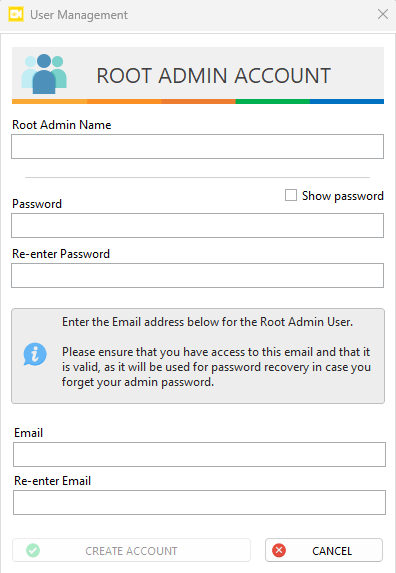
Required Information
You must complete the following fields:
Root Admin Name– A unique identifier for the administrator account.Password– Set a secure password.Re-enter Password– Confirm the password.Email– Enter a valid and accessible email address.Re-enter Email– Confirm the email address.
Caution
The password recovery using email is in development and currently unusable.
Once completed
Click Create Account to finalize the setup
This account will serve as the primary administrator for managing users, licenses, and system settings within ANSVIS.
info
Refer to account management for more information